
Table of Contents
- What Does a Low Shopify Add-to-Cart Rate Mean?
- How to Identify Why Customers Aren't Adding Products
- 12 Reasons Shopify Product Pages Get Views but No Add to Carts
- Shopify Product Page Optimization: Before vs. After
- How Product Page Design Influences Shopify Conversions
- Shopify Product Page SEO: Why Search Visibility Alone Isn't Enough
- How to Measure Shopify Product Page Performance Accurately
- Practical Ecommerce Examples
- A 30-Day Shopify Product Page Optimization Plan
- Common Shopify Product Page Optimization Mistakes
- Frequently Asked Questions
Your Shopify store is attracting visitors. Product pages are getting views, advertising campaigns are generating clicks, and customers are browsing your collections. Yet, despite this traffic, very few shoppers are adding products to their carts.
If your Shopify product pages get views but no add to carts, the problem may not be your products or the amount of traffic you're generating. Instead, potential customers may be encountering friction that prevents them from making a purchase decision.
Perhaps your product images don't answer important questions. Maybe shoppers cannot find sizing information, shipping costs, or return policies. Alternatively, your Add to Cart button might be difficult to use on mobile devices.
Sometimes, the issue is more technical: a product variant fails to update correctly, an application interferes with cart functionality, or analytics tracking fails to record successful additions.
According to the Baymard Institute's product page UX research, many ecommerce stores continue to make avoidable product-page usability mistakes that influence customer purchase decisions.
Therefore, increasing traffic is not always the solution. Improving the shopping experience for visitors already reaching your product pages may be more valuable.
In this guide, we'll explain how to diagnose a low Shopify add-to-cart rate, identify common conversion barriers, and implement practical improvements that help more visitors become potential customers.
What Does a Low Shopify Add-to-Cart Rate Mean?
Your add-to-cart rate indicates how frequently shoppers add products to their carts during a shopping session.
It is an important ecommerce engagement metric because it helps reveal whether customers are progressing from product discovery toward purchasing.
However, an add-to-cart action is not the same as a completed order.
Customers may add items to their carts to compare prices, check delivery charges, or save products for later.
Therefore, add-to-cart performance should be evaluated alongside checkout progression, purchases, and revenue.
How to Calculate Shopify Add-to-Cart Rate
Shopify's standard storewide add-to-cart rate uses the following formula:
Add-to-Cart Rate = (Sessions With Cart Additions ÷ Total Online Store Sessions) × 100
For example, imagine your Shopify store records:
- 10,000 online store sessions.
- 450 sessions with cart additions.
- 200 sessions reaching checkout.
- 120 sessions completing purchases.
Your storewide add-to-cart rate would be:
450 ÷ 10,000 × 100 = 4.5%
Meanwhile, your storewide purchase conversion rate would be:
120 ÷ 10,000 × 100 = 1.2%
These numbers are hypothetical.
More importantly, the 4.5% figure does not tell you whether a specific product page is performing well.
To analyze individual products, compare sessions in which a specific product was viewed with sessions in which that same product was added to the cart.
Do not substitute total pageviews for product-view sessions without explaining the difference. One customer can view a product several times during a single session.
Where to Find Add-to-Cart Data in Shopify
You can start with Shopify's built-in analytics.
Navigate to Shopify Admin > Analytics > Reports and locate the conversion rate breakdown or relevant product reports.
Depending on your reporting configuration, Shopify can show product views, add-to-cart activity, checkout progression, and completed purchases.
The official Shopify behavior reports documentation explains how its conversion funnel measures shopping activity.
Additionally, Shopify updated its session measurement methodology in September 2026. Consequently, historical changes in session-based conversion metrics may partly reflect reporting changes rather than customer behavior.
Before diagnosing a conversion problem, verify that the tracking and reporting are consistent.
How to Identify Why Customers Aren't Adding Products
A low add-to-cart rate does not automatically mean your product page design is poor.
For example, a product may receive traffic from visitors researching future purchases rather than customers ready to buy.
Alternatively, an advertising campaign might target an audience whose requirements do not match the product.
Therefore, identify where the customer journey breaks down before making changes.
Use the Product-Page Conversion Funnel
A useful diagnostic funnel includes four stages:
- Product viewed.
- Product added to cart.
- Checkout started.
- Purchase completed.
Analyze where visitors stop progressing.
| Customer Behavior | Possible Problem | Recommended Investigation |
|---|---|---|
| High product views, few cart additions | Poor product information, price concerns, weak CTA, unsuitable traffic | Review product page UX and traffic relevance |
| Customers click Add to Cart but nothing happens | Technical errors, variant issues, cart JavaScript failures | Test theme and application functionality |
| Strong cart additions, few checkouts | Unexpected costs, delivery uncertainty, cart friction | Review shipping and cart experience |
| Strong checkout activity, few purchases | Payment failures, delivery restrictions, checkout concerns | Audit checkout and payment methods |
| Low mobile cart additions | Hidden CTA, slow performance, difficult variant selection | Test real mobile devices |
| Only one product performs poorly | Product-specific price, availability, content, or demand issue | Compare against similar products |
The objective is to find the actual source of friction rather than randomly changing website elements.
12 Reasons Shopify Product Pages Get Views but No Add to Carts
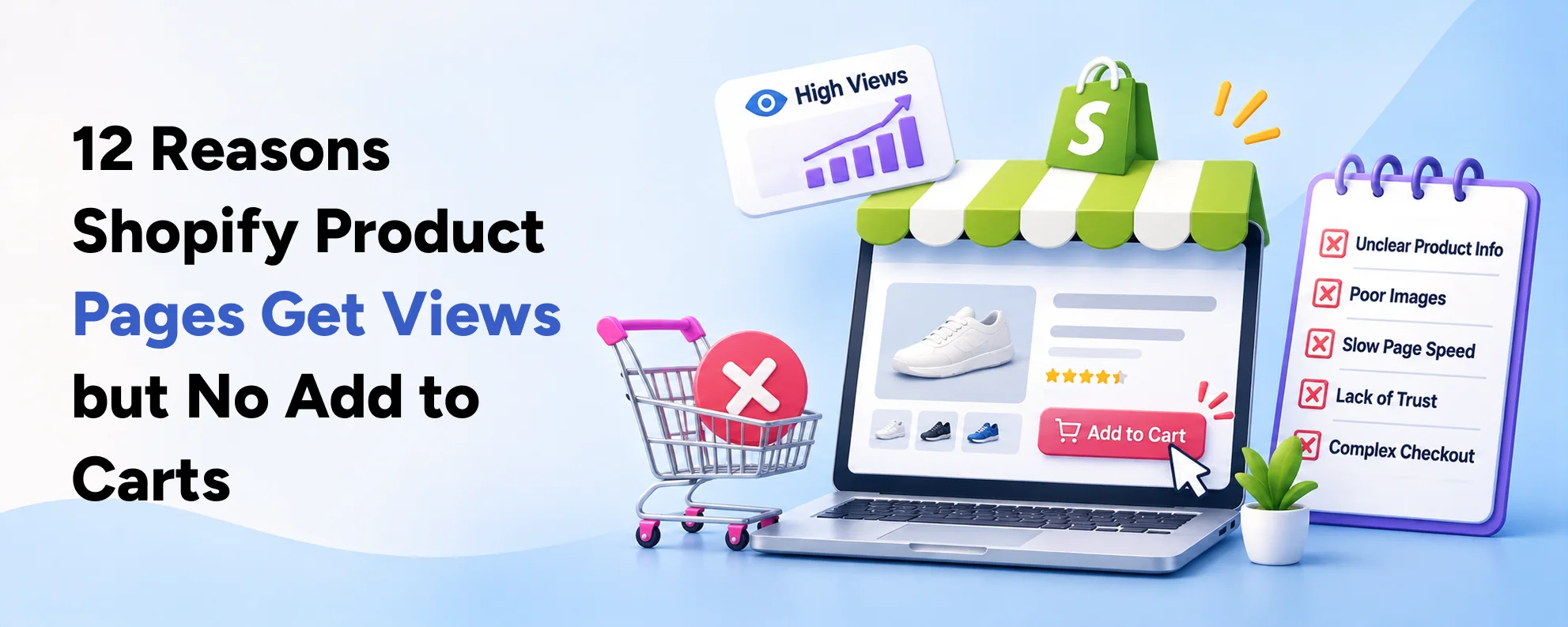
The following issues are worth investigating, starting with the problems most likely to interrupt the purchasing process.
1. Your Add to Cart Button Is Difficult to Find
One of the most basic product-page mistakes is making the primary purchase action difficult to identify.
Customers should not need to search through several sections before finding the Add to Cart button.
However, some Shopify themes position the button beneath lengthy product descriptions, promotional sections, or unnecessary interface elements.
This becomes especially problematic on mobile devices.
How to Improve the Add to Cart Button
Start with visibility and functionality.
- Use a clearly identifiable primary button.
- Maintain sufficient contrast between the button and background.
- Place the purchase action close to the product price and variant selector.
- Make the button easy to tap on mobile screens.
- Display understandable loading and success states.
- Ensure error messages explain what the customer needs to do.
- Consider a sticky Add to Cart button for longer product pages.
Importantly, a sticky button should never cover essential product information or interfere with accessibility.
In Shopify's 2026 product page optimization guide, Maria Bonello, Director of Strategy at SMAKK Studios, emphasizes that the purchase action should stand out from surrounding content.
The lesson is straightforward: remove unnecessary distractions around the primary buying action.
2. Your Product Images Don't Answer Customer Questions
High-quality product photography is essential for online shopping.
Because customers cannot physically examine products before purchasing, images must communicate details they would normally inspect in person.
For example, someone buying a handbag may want to understand its dimensions, compartments, strap length, material, and interior design.
A single attractive image might not provide enough information.
Similarly, clothing customers often need photographs showing fit, texture, and how a garment looks when worn.
How to Improve Product Images
For important products, consider adding:
- Clear front, back, and side views.
- Close-up photographs of relevant details.
- Lifestyle images demonstrating product use.
- Images showing product dimensions or scale.
- Variant-specific photographs.
- Short demonstrations where they improve understanding.
For example, a Shopify store selling luggage might include photographs showing the suitcase beside a person, its interior compartments, and the available carrying options.
Furthermore, ensure images are compressed appropriately so they do not unnecessarily slow the page.
The goal is not to upload the largest possible gallery. Instead, provide useful visual information that helps customers make confident decisions.
3. Your Product Descriptions Are Too Generic
Many ecommerce stores use short descriptions that say little about the actual product.
For example:
"Premium quality jacket with stylish design. Perfect for everyday use."
Although this description sounds positive, it doesn't explain what makes the jacket useful.
Customers may still wonder about the material, fit, washing instructions, weather resistance, or suitable occasions.
A better product description addresses those questions.
Example of an Improved Product Description
Consider this hypothetical product:
Product: Women's Lightweight Travel Jacket
An improved description might explain:
"This lightweight travel jacket features a water-resistant outer fabric, adjustable hood, and two zippered pockets. Its relaxed fit makes it suitable for layering during everyday travel and mild outdoor activities."
The description could then include exact material composition, size measurements, care instructions, and product limitations.
However, only publish features that are genuinely supported by the product.
A well-written description should explain benefits while providing the details customers need to evaluate suitability.
For established ecommerce stores, Shopify development services can also help create reusable product-page templates that present structured specifications consistently.
4. Customers Can't Understand the Total Purchase Cost
Unexpected shipping costs are a major source of ecommerce friction.
Customers may like a product but hesitate to add it to their cart because they don't know how much they will eventually pay.
According to Baymard Institute's product page research, 64% of participants in its usability testing looked for shipping costs while viewing product pages.
This finding highlights why delivery information matters before checkout.
What to Display Near the Purchase Section
Where accurate and applicable, display:
- Product price and selected variant price.
- Shipping eligibility or delivery-cost estimate.
- Free-shipping threshold.
- Estimated delivery window.
- Relevant taxes or duties information.
- Available payment options.
For example, consider a product priced at $75.
A message such as "Free shipping on orders over $100" helps customers understand that their current order might not qualify.
However, do not advertise a delivery promise or free-shipping threshold that does not apply to the customer's location.
Greater price transparency helps shoppers evaluate the true cost before deciding whether to proceed.
5. Your Return and Exchange Policies Are Difficult to Find
Customers frequently hesitate when they are unsure what happens if a product does not meet expectations.
This concern is especially important for apparel, footwear, beauty accessories, and products where dimensions or compatibility matter.
The Baymard Institute's 2026 product page UX research reports that 60% of participants in its consideration and purchase behavior study looked for return policy information on product pages.
Therefore, hiding policy details exclusively in the website footer can create avoidable uncertainty.
How to Present Return Information
Add a concise policy summary near the purchasing section.
For example:
"Returns accepted within 30 days for eligible unused products. See our full return policy for exclusions and instructions."
This wording is only an illustration; your actual policy must accurately reflect your business terms.
Additionally, include a clear link to the complete policy.
Avoid lengthy legal language in the product-page summary.
Instead, communicate the most important conditions clearly, then provide the full policy for customers who need additional information.
6. Product Variants Are Confusing or Not Working Correctly
Variant selection is another frequent source of product-page friction.
A customer may be ready to purchase but cannot determine which size, color, or configuration is available.
Alternatively, changing a variant may update the image without updating the price, inventory, or correct product identifier.
These issues can reduce confidence and sometimes prevent products from being added to the cart.
How to Improve Variant Selection
For products with multiple options:
- Use clear size, color, and configuration labels.
- Display accurate stock availability.
- Update product images when variants change.
- Make unavailable combinations understandable.
- Explain what customers must select before purchasing.
- Provide relevant sizing or compatibility guides.
- Test variant changes on mobile and desktop.
For clothing, avoid relying only on generic labels such as Small, Medium, and Large.
Whenever appropriate, include measurement charts and fit descriptions.
Meanwhile, for technical products, explain compatibility requirements before the customer chooses an option.
Businesses with complex product selectors may benefit from custom Shopify app and integration development rather than forcing specialized product workflows into unsuitable theme components.
7. Your Product Pages Lack Trust Signals
Before purchasing from an unfamiliar ecommerce brand, customers often look for evidence that the store is legitimate and reliable.
Product photography and descriptions may explain what an item does, but shoppers can still hesitate if they lack confidence in the business.
Therefore, authentic trust signals deserve attention.
Useful Trust Signals for Shopify Stores
Depending on your business, consider displaying:
- Genuine verified customer reviews.
- Real customer photographs with appropriate permission.
- Clear business contact information.
- Transparent return and shipping policies.
- Accurate product warranties.
- Secure checkout information.
- Authentic certifications or credentials.
However, avoid adding fake review counts, unverified certifications, or misleading scarcity messages.
These tactics may create short-term pressure but can undermine long-term customer trust.
Additionally, reviews should be relevant to the specific product rather than copied across unrelated product pages.
8. Your Mobile Product Page Is Difficult to Use
Mobile customers often interact with ecommerce stores differently from desktop users.
They work with smaller screens, touch controls, and varying network conditions.
Consequently, a product page that looks impressive on desktop may still create significant mobile friction.
For example, a large image gallery might push product information far below the initial viewport.
Likewise, small variant buttons can make product selection frustrating.
Mobile Optimization Checklist
Review your product pages on actual mobile devices.
Check whether:
- The product title is immediately understandable.
- Images load without unexpected layout movement.
- Prices are clearly displayed.
- Variant controls are easy to select.
- Add to Cart buttons remain accessible.
- Popups do not cover important controls.
- Text is readable without zooming.
- The cart confirmation is obvious after clicking.
Moreover, test the complete purchase journey rather than only the appearance of the product page.
A beautiful layout is not enough if customers cannot interact with it reliably.
For brands considering major storefront changes, Basil Tech's guide to custom Shopify themes versus premium themes explains when targeted customization may be preferable to a complete redesign.
9. Your Shopify Product Pages Load Too Slowly
Website performance can influence customer engagement and purchase decisions.
For instance, a slow-loading product gallery may prevent users from seeing important information quickly.
Similarly, JavaScript-heavy applications can make purchase controls temporarily unresponsive.
Therefore, performance optimization should focus on real customer interactions, not simply achieving a high score in a testing tool.
Google's Core Web Vitals documentation identifies three important performance metrics.
| Metric | Good Performance Threshold | Product-Page Relevance |
|---|---|---|
| Largest Contentful Paint (LCP) | 2.5 seconds or less | Main content loads promptly |
| Interaction to Next Paint (INP) | 200 milliseconds or less | Variant selection and buttons respond quickly |
| Cumulative Layout Shift (CLS) | 0.1 or less | Important content and controls remain stable |
These thresholds apply to the 75th percentile of real-user experiences.
Practical Shopify Speed Improvements
Start by reviewing:
- Oversized product photographs.
- Unused applications and scripts.
- Heavy third-party widgets.
- Unnecessary animation effects.
- Image loading priorities.
- Font loading and layout stability.
- Expensive JavaScript running during user interactions.
However, do not blindly remove applications or delay scripts without checking their purpose.
A payment, search, or product-configuration integration may be essential to the customer journey.
Instead, review each component's actual performance impact.
10. Your Product Page Includes Too Many Distractions
More features do not always create a better shopping experience.
Some stores add multiple promotional popups, countdown timers, recommendation carousels, social feeds, and floating widgets.
Although each element may have a marketing purpose, their combined effect can distract customers from the main purchase decision.
For example, a customer who wants to select a product size may encounter several competing promotional messages before reaching the Add to Cart button.
Therefore, product-page design should establish a clear visual hierarchy.
Recommended Product-Page Hierarchy
A straightforward page structure might follow this order:
- Product images.
- Product title and essential identifiers.
- Price and genuine promotional information.
- Relevant rating or review summary.
- Product variants and size guidance.
- Primary Add to Cart action.
- Delivery and return information.
- Product benefits and specifications.
- Detailed reviews and supporting content.
- Relevant complementary products.
The exact order may vary by product category and device.
However, the page should make the primary action clear while keeping essential buying information easy to access.
For a more tailored approach, Shopify website design services can help businesses organize product information around real customer decisions.
11. Your Promotional Messaging Creates Confusion
Promotions can encourage purchases, but unclear discounts may create hesitation.
For example, a product page might display a 20% discount while the customer cannot determine whether the offer applies to their selected variant.
Alternatively, a discount code may appear on an advertisement but not be reflected clearly on the landing page.
This creates a mismatch between customer expectations and the actual offer.
How to Improve Promotional Clarity
Ensure that:
- Discount conditions are understandable.
- Promotional prices match the selected variant.
- Applicable eligibility restrictions are visible.
- Campaign landing pages accurately reflect advertisements.
- Coupon requirements are communicated before checkout.
- Inventory and availability information are current.
Additionally, avoid displaying permanent countdown timers or fabricated urgency.
Instead, use accurate promotional information that helps customers understand the offer.
If you're generating traffic through Meta campaigns, Basil Tech's article on Shopify landing pages for Meta Ads provides related guidance on matching customer expectations with the landing-page experience.
12. You're Attracting the Wrong Visitors
Sometimes, the product page is not the primary problem.
Your visitors may simply not be ready to buy.
For example, an informational blog post could generate substantial interest in a product category without attracting customers prepared to purchase immediately.
Similarly, an advertisement targeting a broad audience might produce many clicks from users who are unlikely to buy the featured product.
Therefore, review where your product-page traffic originates.
Evaluate Traffic Quality by Channel
Compare performance across:
- Organic Google Search.
- Google Shopping and paid search.
- Meta advertising.
- Email campaigns.
- Direct traffic.
- Influencer referrals.
- Relevant AI-assisted discovery channels.
A product page might perform well with visitors searching for a specific item but poorly with users arriving from a broad awareness campaign.
This does not automatically mean the page needs redesigning.
Instead, the advertising audience, campaign message, or landing-page selection may require adjustment.
For this reason, Shopify CRO should be connected with acquisition strategy. Basil Tech's ecommerce marketing and CRO services address growth through the combined use of store optimization and marketing channels.
Shopify Product Page Optimization: Before vs. After
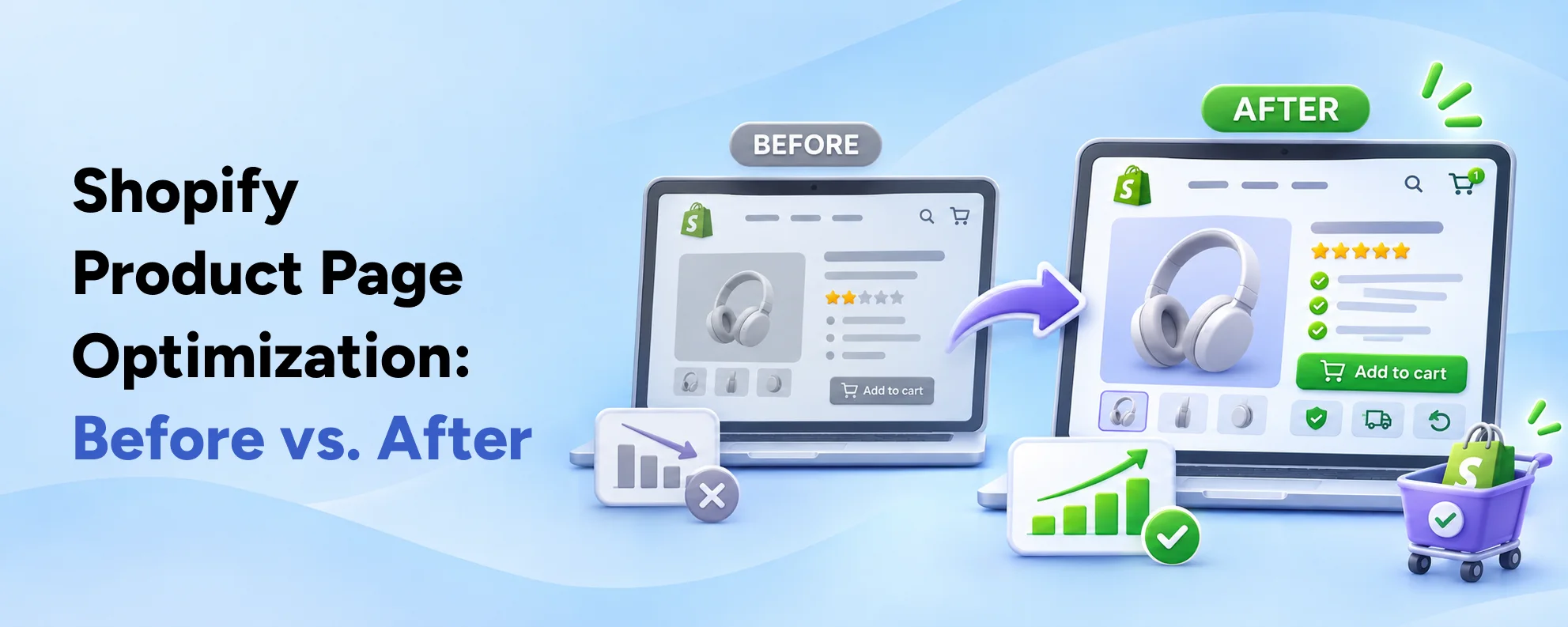
The following comparison shows how common product-page problems can be addressed.
| Product Page Element | Common Problem | Recommended Improvement |
|---|---|---|
| Product title | Generic or unclear | Specific, descriptive product name |
| Images | One product photograph | Multiple useful product views |
| Description | Promotional language without details | Benefits supported by specifications |
| Price | Delivery costs unclear | Transparent pricing and shipping guidance |
| Size selector | Confusing variant choices | Clear options with sizing information |
| Add to Cart button | Difficult to find | Prominent, accessible purchase action |
| Reviews | Missing or unrelated | Genuine product-specific feedback |
| Return policy | Hidden in the footer | Clear summary near purchasing controls |
| Mobile layout | Crowded and difficult to use | Responsive, touch-friendly design |
| Page performance | Large images and unnecessary scripts | Optimized assets and tested functionality |
| Analytics | Missing or inaccurate cart events | Verified product-level ecommerce tracking |
The key lesson is that improving a Shopify product page involves reducing uncertainty throughout the shopping experience.
However, not every product requires the same changes.
For example, a technical equipment retailer may need detailed compatibility information, while a fashion retailer may benefit more from clearer sizing and fit guidance.
Therefore, prioritize improvements based on customer behavior and product requirements.
How Product Page Design Influences Shopify Conversions
Product-page design is not only about appearance.
It also determines how easily customers understand your offer and complete buying actions.
Build Around Customer Questions
A useful product page should answer several questions quickly:
- Is this the right product for me?
- What does it do?
- Which option or size should I choose?
- How much will I pay?
- When will I receive it?
- Can I return it?
- Can I trust this business?
If shoppers cannot find these answers, they may delay their purchase or leave the website.
Therefore, consider organizing your page around customer decision-making rather than simply following a generic design template.
Avoid Redesigning Everything at Once
When product pages receive substantial traffic but few cart additions, merchants sometimes assume a complete theme replacement is necessary.
However, a full redesign can introduce additional cost and technical risk.
Instead, begin with the most likely sources of friction.
For example, fixing a broken product selector or clarifying delivery charges may be more urgent than changing the entire page layout.
If the theme cannot support important requirements, targeted custom Shopify development may be appropriate.
However, if the existing architecture works correctly, incremental improvements are often easier to test and maintain.
Shopify Product Page SEO: Why Search Visibility Alone Isn't Enough
SEO can bring potential customers to your product pages, but rankings alone do not guarantee cart additions.
A product page may attract substantial organic traffic because it ranks for broad informational searches.
However, those visitors may not have immediate purchase intent.
Therefore, product-page SEO should align with what customers are actually searching for.
Match Search Intent with the Product Offer
Consider two hypothetical searches:
"Best waterproof jackets for hiking"
"Buy women's waterproof hiking jacket size medium"
The first query may indicate product research.
The second is more directly connected to a purchase decision.
Although both can generate relevant visitors, they may produce different levels of cart engagement.
Consequently, merchants should use helpful product descriptions, accurate page titles, relevant specifications, and content that reflects the actual product.
Improve Product Structured Data
Google recommends using appropriate Product structured data to communicate product information.
When implemented correctly, this can help search engines understand details such as pricing, availability, and product attributes.
According to Google Search Central's merchant listing documentation, eligible product markup can support richer product appearances across Google Search.
However, structured data does not guarantee rankings or higher conversions.
Furthermore, the information in your structured data should match the actual product page.
Avoid displaying conflicting prices, unavailable variants, or fabricated review ratings.
Support Product Pages with Useful Buying Guides
Product pages often benefit from supporting informational content.
For instance, a beauty retailer can publish guides explaining how to select styling tools for different hair types.
Similarly, a fashion retailer might publish fit comparisons, material guides, or seasonal buying advice.
These resources can attract visitors earlier in their decision-making process and help them identify suitable products.
However, internal links should be relevant to the reader's needs rather than added solely for SEO.
As ecommerce search evolves, detailed and accurate product information can also support emerging AI-assisted shopping experiences. Basil Tech's article on AI shopping agents and Shopify store readiness discusses this broader shift in product discovery.
How to Measure Shopify Product Page Performance Accurately
Making design improvements without reliable measurement can lead to incorrect conclusions.
For example, a store might change its Add to Cart button color and observe an increase in cart additions.
However, if a major advertising campaign launched during the same period, the improvement might not be caused by the button change.
Therefore, establish a reliable measurement framework before making optimization decisions.
Track the Right Ecommerce Events
For product-level analysis, consider tracking:
- view_item: A product detail view.
- add_to_cart: A product added to the cart.
- begin_checkout: A customer beginning checkout.
- purchase: A completed order.
These are recommended GA4 ecommerce events.
According to Google Analytics ecommerce documentation, events can include item-level details to help businesses understand product interactions.
However, merchants should verify that each event contains the correct product identifier and relevant event parameters.
Additionally, avoid duplicating ecommerce events through overlapping Google Tag Manager, native Shopify integrations, or other tracking applications.
Measure Product-Level Add-to-Cart Performance
Consider the following hypothetical comparison.
| Metric | Product A | Product B |
|---|---|---|
| Sessions viewing the product | 2,000 | 2,000 |
| Sessions adding that product to cart | 80 | 180 |
| Product-view-to-cart session rate | 4% | 9% |
| Sessions purchasing the product | 20 | 55 |
Product B generates more cart additions and purchases from the same number of product-view sessions.
However, this does not prove that its product page design is better.
Pricing, traffic quality, product demand, and customer familiarity might explain the difference.
Therefore, compare products with similar characteristics where possible.
Segment the Data Before Making Changes
Analyze performance by:
- Mobile versus desktop.
- New versus returning customers.
- Traffic acquisition channel.
- Product category.
- Individual product.
- Geographic market.
- Paid versus organic traffic.
For example, if the add-to-cart rate is relatively strong on desktop but weak on mobile, investigate the mobile shopping experience first.
Alternatively, if conversion performance is weak only for paid social visitors, review campaign targeting and messaging.
This approach makes your optimization decisions more precise.
Practical Ecommerce Examples
The following examples are hypothetical troubleshooting scenarios, not actual Basil Tech client results.
Example 1: A Fashion Store with High Product Views
A Shopify fashion retailer receives consistent traffic to a popular dress collection.
However, customers frequently leave individual product pages without adding anything to their carts.
The product pages use attractive photography but provide limited information about fit and fabric.
Recommended Improvements
The retailer could:
- Add model measurements and size information.
- Include close-up material photographs.
- Improve fit descriptions.
- Display delivery and return information.
- Test a clearer mobile Add to Cart layout.
These changes would address common shopping questions.
However, the retailer should measure whether they actually improve cart additions, completed orders, and return rates.
Example 2: A Beauty Store with Product Selection Issues
A beauty retailer sells styling tools with multiple configurations.
Visitors browse product pages and interact with variant selectors, but cart additions remain low.
Testing reveals that some variants do not update the displayed price or availability correctly.
Recommended Improvements
The development team should first resolve the variant functionality.
Then, the retailer could improve product specifications and publish clear comparison information.
For example, customers may need to understand which barrel size or temperature setting is appropriate for a particular styling requirement.
If the business also sells recurring consumables, it may be useful to compare purchase models using the principles discussed in Shopify subscriptions versus one-time purchases.
The goal is to simplify product selection without overwhelming shoppers with unnecessary options.
Example 3: A Homeware Brand with Unexpected Shipping Costs
A Shopify homeware retailer advertises decorative products through paid social campaigns.
Its product pages receive traffic, but customers rarely add products to their carts.
Further investigation suggests that shoppers cannot estimate shipping costs until they reach checkout.
Recommended Improvements
The business could introduce accurate delivery guidance near the price and purchase button.
Additionally, it could clarify free-shipping thresholds, delivery restrictions, and expected fulfillment times.
However, the retailer should test whether greater pricing transparency improves qualified cart additions and completed purchases.
A successful optimization should benefit the overall customer journey, not merely increase one intermediate metric.
A 30-Day Shopify Product Page Optimization Plan
Improving every product page simultaneously can be expensive and difficult to measure.
Instead, start with a small group of commercially important products.
Choose products that receive meaningful traffic, represent important categories, or contribute substantially to sales.
Then follow a structured optimization process.
| Timeline | Recommended Work | Expected Deliverable |
|---|---|---|
| Week 1 | Review Shopify Analytics, GA4, traffic quality, and product-level performance | Prioritized list of product-page problems |
| Week 2 | Fix CTA, variant selectors, pricing clarity, and major technical errors | Improved product-page functionality |
| Week 3 | Upgrade product images, descriptions, sizing, reviews, and mobile UX | More informative shopping experience |
| Week 4 | Test changes, analyze performance, and document findings | Evidence-based optimization recommendations |
Week 1: Investigate the Problem
Start with analytics and manual testing.
Identify the product pages that receive substantial traffic but generate relatively few cart additions.
Next, review those pages on mobile and desktop devices.
Record whether customers encounter broken functionality, unclear product information, or distractions.
Week 2: Fix High-Impact Friction
Prioritize functional and trust-related problems.
For example, a broken Add to Cart button should be addressed before experimenting with button colors.
Similarly, incorrect prices or misleading inventory information require immediate correction.
Once essential issues are resolved, document the changes and establish a reliable comparison period.
Week 3: Improve the Shopping Experience
Focus on the information customers need to make purchasing decisions.
Enhance product photography, descriptions, variant labels, delivery guidance, and return information.
Additionally, improve mobile layouts where testing identifies usability problems.
However, avoid introducing unnecessary applications simply to add more features.
Week 4: Measure and Refine
After deployment, examine product-level performance.
Compare add-to-cart activity, checkout progression, completed purchases, and customer engagement.
Where traffic volume permits, use properly designed A/B tests rather than relying exclusively on before-and-after comparisons.
Additionally, monitor whether the changes affect average order value, profitability, or return rates.
If the evidence supports an improvement, consider applying it to similar product pages.
Common Shopify Product Page Optimization Mistakes
Even well-intentioned conversion optimization projects can create additional problems.
Avoid these common mistakes.
Changing the Entire Theme Without Diagnosing the Issue
A low add-to-cart rate does not automatically justify a full redesign.
First, identify whether the problem involves functionality, information, trust, price, or traffic quality.
Copying Competitor Product Pages
A competitor's layout may be effective for its products and audience.
However, that does not mean the same design will improve your results.
Instead, use competitor examples as research inputs and test them against your customers' actual needs.
Focusing Only on Button Colors
Changing a CTA color may be easy, but larger sources of friction can exist elsewhere.
For example, unclear product sizing is unlikely to be solved by making the purchase button brighter.
Using Fake Reviews and Urgency
Fabricated testimonials, deceptive scarcity messages, and unsupported claims can damage customer trust.
Use authentic information and transparent promotions.
Measuring Only Cart Additions
More cart additions do not necessarily mean more profitable sales.
Therefore, monitor checkout progression, purchases, revenue, and other commercial outcomes.
Ignoring Tracking Problems
If ecommerce events fire incorrectly, your reports may misrepresent customer behavior.
Validate tracking before relying on the results.
Frequently Asked Questions
Why are my Shopify product pages getting views but no add to carts?
The issue may involve unclear product information, weak buying signals, hidden purchase buttons, unexpected costs, confusing variants, technical errors, or unsuitable traffic. Start by reviewing product-level analytics and testing the complete mobile shopping experience before changing the page design.
What is a good Shopify add-to-cart rate?
There is no universal rate that applies to every Shopify business. Performance varies by industry, product price, traffic source, and customer intent. Compare your results with relevant historical performance and similar products rather than treating a single benchmark as a guaranteed target.
How do I increase add to carts on Shopify?
Improve product information, make the Add to Cart button easy to find, provide useful images, clarify shipping costs, display authentic reviews, and simplify variant selection. Additionally, verify that cart functionality works correctly and that visitors arriving from marketing campaigns have relevant purchase intent.
Can a Shopify theme affect add-to-cart performance?
Yes. Theme design and functionality can influence button visibility, product variants, mobile usability, loading performance, and shopping interactions. However, a custom theme is not automatically better than a premium theme. Implementation quality and customer requirements matter more than the theme category.
Should I use a sticky Add to Cart button?
A sticky Add to Cart button can help customers access the purchase action on longer product pages, especially on mobile devices. However, it should not hide essential content or interfere with variant selection. Test its effect on actual shopping behavior before applying it across the store.
Do product reviews help increase cart additions?
Authentic product reviews can help customers evaluate quality, suitability, and trustworthiness. However, their impact varies by product category and audience. Reviews work best when they are genuine, relevant, informative, and presented alongside accurate product descriptions.
Can product-page speed affect Shopify conversions?
Yes. Slow loading and unresponsive controls can interrupt the shopping experience. Merchants should review image sizes, third-party scripts, mobile responsiveness, and Core Web Vitals. However, improving speed does not guarantee a specific conversion-rate increase.
How can I track add-to-cart events in Shopify?
Use Shopify Analytics to review storewide and product-level shopping performance. For additional analysis, configure and validate GA4 ecommerce events such as view_item and add_to_cart. Ensure event tracking is accurate and does not duplicate actions through multiple integrations.
Should I redesign my product pages if visitors aren't buying?
Not immediately. First, determine whether the issue involves product information, pricing, technical functionality, traffic quality, or customer trust. Targeted improvements may resolve the problem without a complete redesign. Consider a broader redesign when the existing theme creates persistent structural limitations.
How long does Shopify product page optimization take?
Simple changes, such as improving descriptions or correcting unclear labels, may be implemented relatively quickly. However, complex variant functionality, integrations, and theme modifications require additional development and testing. Measuring results also depends on the amount of relevant traffic and conversions available.